From Overwhelmed to Organized: How Claude AI Can Upgrade Your Daily Life
Upgrade Your Daily Life with Claude
It feels like there’s a new AI tool popping up every day, promising to revolutionize the way we work, think, and live. It can be a lot to keep up with! If you’re looking for an AI assistant that feels less like a sterile robot and more like a highly capable, articulate collaborator, Claude might be exactly what you need.
Developed by Anthropic, Claude has quickly become one of the most powerful and intuitive AI assistants available. Whether you are navigating a massive work project, trying to learn a new skill, or simply trying to figure out what to make for dinner with three random ingredients in your fridge, Claude is designed to help.
Let’s break down what Claude is and how you can seamlessly weave it into your everyday routine to make life a little easier.
What Exactly is Claude?
Claude is a family of large language models (LLMs) created by Anthropic, an AI research company focused on safety and helpfulness. Think of it as an incredibly well-read, lightning-fast digital assistant.
As of early 2026, Anthropic offers several versions of Claude (currently in the 4.6 generation), usually categorized into three main tiers:
- Haiku: The fastest and most lightweight model, perfect for quick questions and immediate answers.
- Sonnet: The “Goldilocks” model that perfectly balances high-level intelligence with speed—ideal for most daily tasks.
- Opus: The heavy lifter designed to handle highly complex reasoning, advanced coding, and massive data analysis.
The beauty of Claude is that you don’t need to be a tech wizard to use it. You can chat with it in plain, natural language right from your web browser or phone.
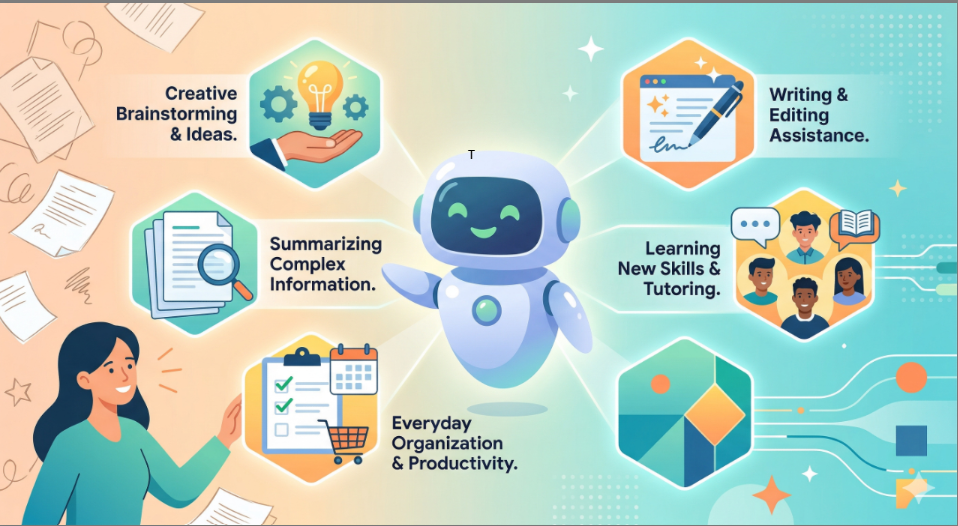
5 Ways Claude Can Help You Every Day
You don’t need a corporate job or a degree in computer science to get value out of Claude. Here are some of the most practical ways it can support you in daily life:
1. Your Personal Editor and Ghostwriter
Staring at a blank screen is frustrating. Claude excels at generating, refining, and restructuring text.
- Drafting tricky emails: Tell Claude, “I need to write an email to my landlord asking for a rent extension, but keep it polite and professional.”
- Polishing your work: Paste in an important message or essay and ask Claude to improve the flow, fix grammar mistakes, or adjust the tone to be more persuasive.
- Everyday lists: Ask it to generate a week’s worth of grocery lists, packing lists for an upcoming vacation, or chore schedules for the house.
2. The Ultimate Brainstorming Partner
Sometimes you just need to bounce ideas off someone (or something) else. Claude is uniquely good at deep reasoning and walking through complex logic step-by-step.
- Decision making: Ask Claude to outline the pros and cons of a big decision, like buying a new car versus repairing your old one.
- Creative block: Give Claude a few rough ideas for a story, a DIY project, or a presentation, and ask it to flesh out an outline or give you ten fresh concepts.
3. A Tutor for Literally Anything
If you want to learn something new, Claude can explain concepts at any level of difficulty—from “explain it to a 5-year-old” to expert-level detail.
- Skill-building: Ask Claude how to mount a TV, knit a scarf, or bake the perfect sourdough bread.
- Concept breakdown: Paste in a confusing news article or scientific concept and ask for a simple, conversational summary.
Pro Tip: Claude is fantastic at breaking down complex math or coding problems. If you are trying to learn a programming language or just want to build a simple script to organize your computer files automatically, Claude can write the code and explain exactly how to use it.
4. The Document and Data Digest
If you’ve ever dreaded reading a 50-page PDF or a massive spreadsheet, Claude is a lifesaver. You can upload files (PDFs, Word docs, CSVs, and more) directly into the chat.
- Quick summaries: Upload a dense report or a long legal document and ask, “What are the three most important takeaways from this?”
- Data extraction: Feed it a spreadsheet of your monthly expenses and ask it to categorize your spending or help you build a budget.
5. Visual Understanding
Claude isn’t just about text; it can “see” images, too.
- Transcribing handwritten notes: Take a photo of your messy meeting notes or a treasured family recipe card and have Claude type it out for you.
- Object context: Upload a photo of an interesting plant, a historic landmark, or a piece of art and ask Claude for historical context or identification.
How to Get Started
Getting started with Claude is entirely straightforward:
- Head to Claude.ai: You can sign up for a free account.
- Start Chatting: Use the chat box just like you would a messaging app. The more specific you are about what you want (and the tone you want it in), the better the results will be.
- Experiment: Don’t be afraid to ask it weird questions, upload a document to see what it does, or tell it to rewrite an answer if it didn’t quite hit the mark the first time.
The Bottom Line
Artificial intelligence shouldn’t feel like a sci-fi concept; it should feel like an accessible utility in your toolbelt. Claude is designed to reduce the friction in your daily life, helping you clear out the tedious elements of daily tasks—like drafting emails, summarizing documents, or figuring out a recipe—so you can spend your time on the things that actually matter.